Resetting my Password
When registering for Insure TV you need to create a password. If you forget this password it can easily be reset.
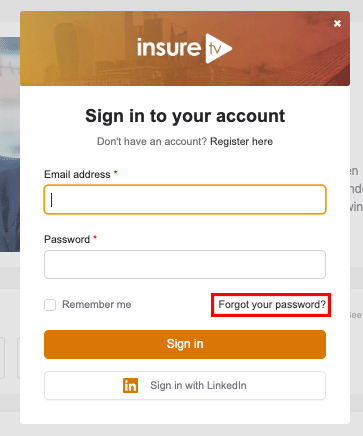
When your visit Insure TV, click the Sign In option in the top right. Just beneath the Login button you will see a link Forgot your password?
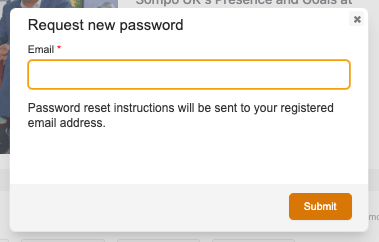
In the prompt that will appear enter your email address in the box and click “Submit”.
An email will then be sent to your email address. Once this is sent, follow the instructions on the email. When you enter a new password, you will be taken to the User Account page, where you will be able to type in your email and new password. You will now be logged into the site.